Write the novel.Keep every draft.
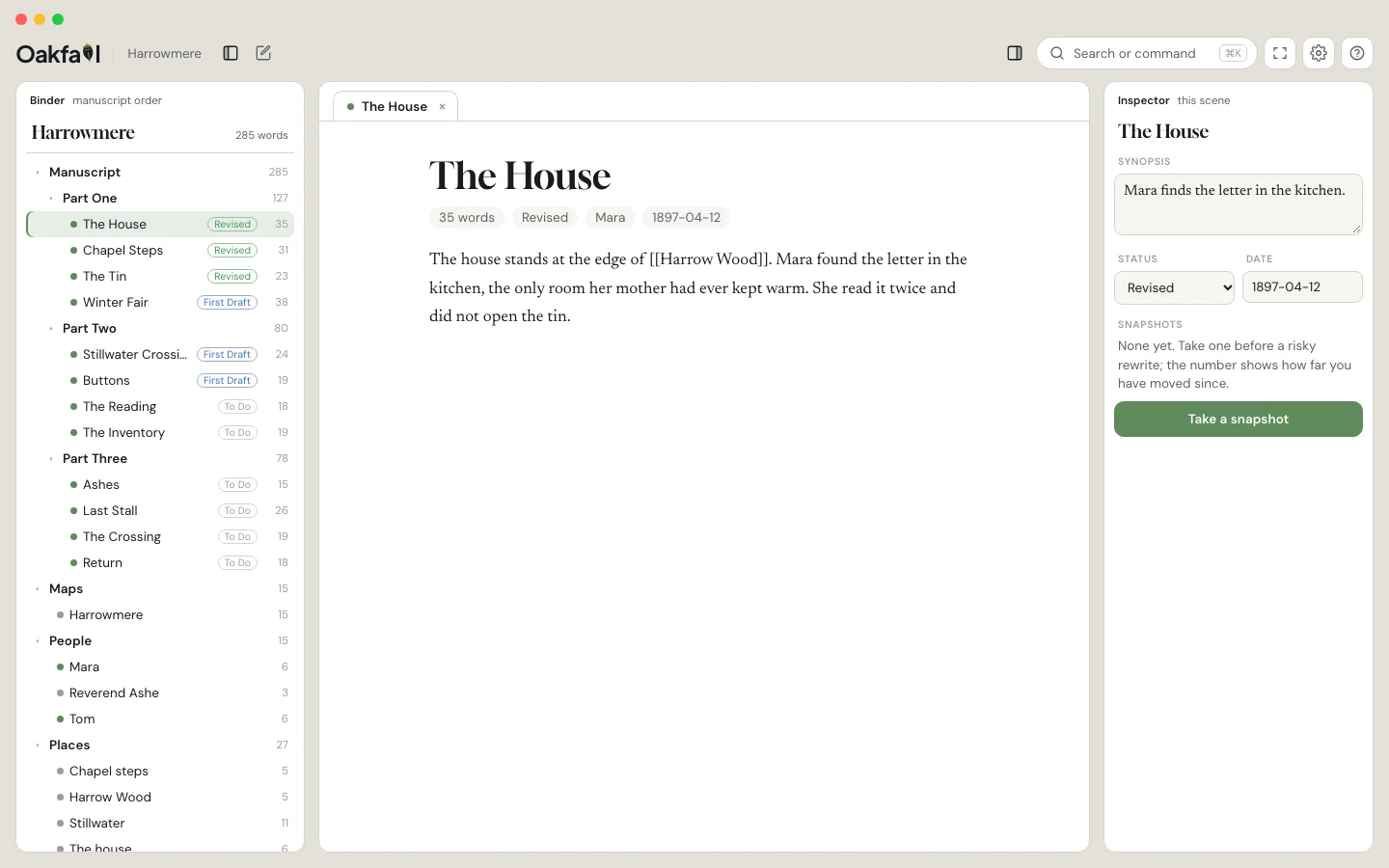
Oakfall is a writing studio for work that outgrows one file: a binder, snapshots you can compare side by side, your cast and places, maps and threads, over plain Markdown you own.
Free to write in. Windows, Linux, iPad and phone follow from the same app.
Try the risky rewrite. Keep the old one.
Name a snapshot before a big edit. Later, open it beside the live text with every change tinted at the word level, and pull back a sentence or the whole scene. Restoring snapshots the current version first, so nothing is ever the last copy.
Mara found the letter under the floorboard where her mother had always said nothing was hidden. She read it twice and then a third time, standing, because sitting felt like agreeing to it.
Outside, the rain had not stopped.
Mara found the letter in the tin with the buttons, which was the one place her mother never looked. She read it twice, standing, because sitting felt like agreeing to it.
Outside, the rain kept its own counsel.
Everything a long work needs, in one place.
The binder
Parts, chapters and scenes in manuscript order, with word counts and status on every row.
MoreCast and places
A character is a note; its appearances are the scenes that name it. The cast panel reads the book for you.
MoreMaps
Any image becomes a map. Pin places, draw roads and rivers, click through to the scenes.
MoreYour manuscript is never held hostage.
A project is a folder of Markdown with a little frontmatter. Open it in any editor; read it in fifty years.
Snapshots are plain copies or ordinary git commits. Uninstall Oakfall and every scene is still there.
The whole desk is free. Pay only for sync, hosted Gall, or the editorial pack.
Every studio has someone who knows where things are.
Ask where someone was last seen, what changed since a snapshot, which scenes still mention the thing you just cut. Gall answers from your files and never writes your prose.
Bring your work in. Take it anywhere.
Oakfall reads and writes ordinary files, so the work you have today comes with you and nothing is locked in tomorrow.
Free to write in. Pay for what you add.
Be first to write in it.
Write to us and we will send the macOS build when it is ready. One email, then nothing until there is something to say.
Email hello@oakfall.appOr try the desk now, in your browser: oakfall.app/preview